The SteelSeries Apex 3 TKL review comes down to a straightforward tradeoff: this tenkeyless keyboard gives up the number pad to free space, while focusing on quiet keystrokes and customizable lighting.
It may suit players who want a compact gaming layout for everyday use without prioritizing advanced switch controls.
Apex 3 TKL Review Summary
The quick verdict
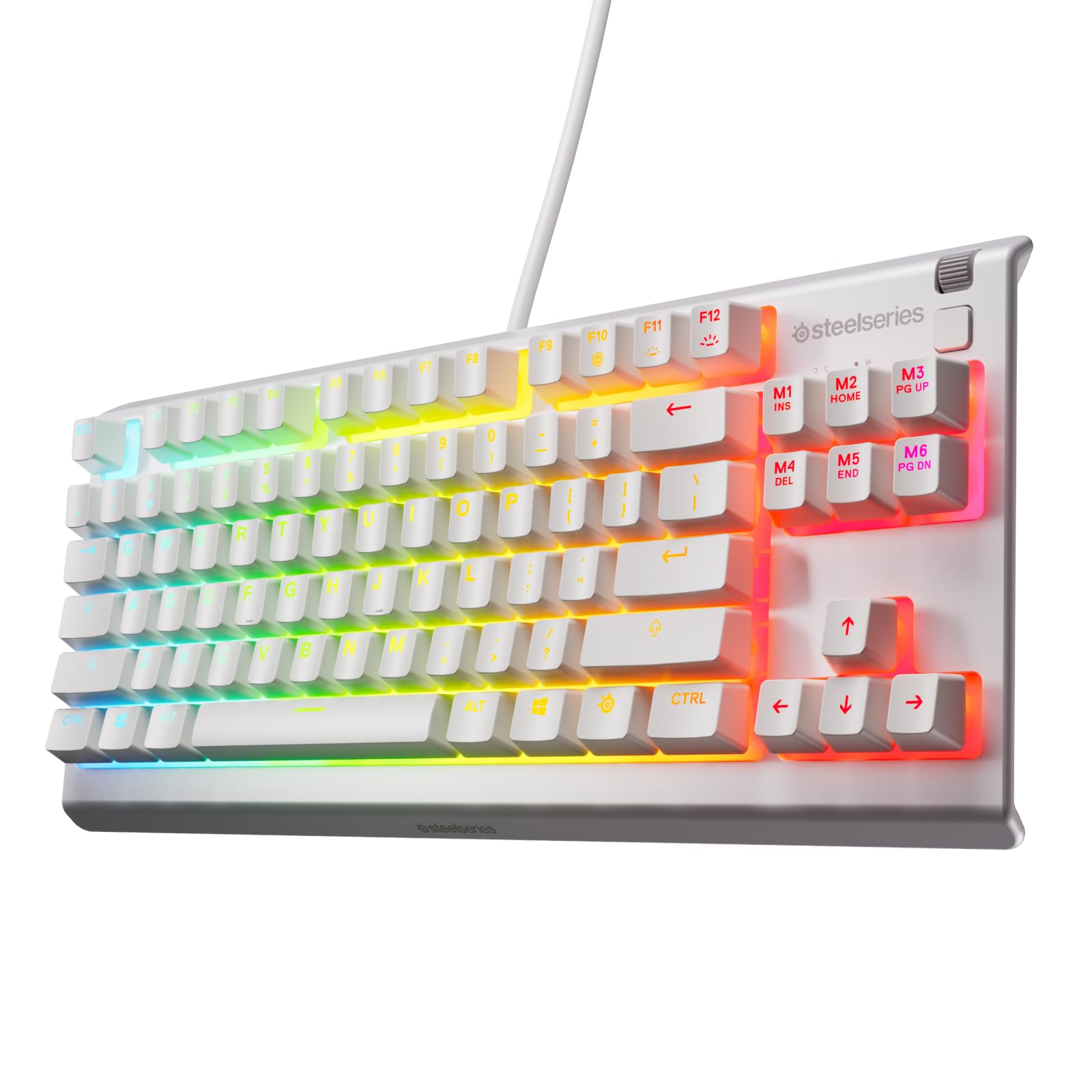
2,000+ ratings
Read Amazon ReviewsSteelSeries Apex 3 TKL
A compact wired gaming keyboard for players who want quiet switches, customizable lighting, and more desk room without a number pad.
- Tenkeyless layout omits the number pad to keep the keyboard more compact.
- Anti-ghosting keys are included for gaming inputs.
- Whisper-quiet switches are designed for low-noise use and rated for 20 million keypresses.
- Eight-zone RGB illumination supports color schemes and reactive lighting effects.

Pros
- Compact layout can open up desk space around the keyboard.
- Quiet switches may be a better fit for shared rooms or late-night gaming.
Consider before buying
- The tenkeyless layout leaves out a number pad, which may slow workflows that rely on frequent numeric entry.
- The feature set does not describe adjustable actuation or rapid-trigger controls, so competitive players seeking input tuning may want a more specialized design.
Read the full review summary
The Apex 3 TKL combines a tenkeyless layout, anti-ghosting keys, whisper-quiet gaming switches, and eight-zone RGB illumination.
Its water and dust resistance is designed to help protect against splashes and dust, though it should not be treated as permission to expose the keyboard to liquids or debris.
This is a practical fit for gamers and general desktop users who can work without a dedicated number pad and prefer a quieter typing sound.
The feature set is centered on essentials; buyers who want analog switch adjustment, rapid-trigger functions, or more elaborate controls should compare keyboards built around those priorities.
The buying factors
Apex 3 TKL Scorecard
Editorial scores reflect listed features and buyer fit; they are not laboratory measurements or customer ratings.
Compact desk layout
The tenkeyless form removes the number pad, which can leave more room for a mouse and other desk items.
Quiet typing focus
The switches are described as whisper quiet, making low-noise use a central part of the design.
Gaming input features
Anti-ghosting keys support simultaneous inputs, while the keyboard's listed gaming features remain fairly focused.
Lighting flexibility
Eight-zone RGB supports color schemes and reactive effects, though the description does not detail per-key customization.
Everyday protection
Water and dust resistance offers a useful layer of protection against common desk messes.
Advanced switch control
The supplied feature set emphasizes quiet switches rather than adjustable actuation or other advanced input tuning.
Key Features and Specifications of Apex 3 TKL
- Tenkeyless layout omits the number pad to keep the keyboard more compact.
- Anti-ghosting keys are included for gaming inputs.
- Whisper-quiet switches are designed for low-noise use and rated for 20 million keypresses.
- Eight-zone RGB illumination supports color schemes and reactive lighting effects.
- Water and dust resistance is intended to help protect against splashes, dust, and similar exposure.
Pros and Cons of Apex 3 TKL
Pros
- Compact layout can open up desk space around the keyboard.
- Quiet switches may be a better fit for shared rooms or late-night gaming.
- Anti-ghosting keys address a useful gaming input need.
- RGB zones add configurable visual flair without being the only notable feature.
Consider before buying
- The tenkeyless layout leaves out a number pad, which may slow workflows that rely on frequent numeric entry.
- The feature set does not describe adjustable actuation or rapid-trigger controls, so competitive players seeking input tuning may want a more specialized design.
- Eight-zone lighting offers less granular control than a layout with per-key lighting customization, if that level of personalization matters to you.
Who Should Buy Apex 3 TKL?
Good fit
Consider the Apex 3 TKL if you want a gaming keyboard that takes up less horizontal space and puts quiet operation near the top of the list.
The compact layout is especially useful when you want extra room beside the keyboard for mouse movement or other desk equipment.
It also makes sense for mixed gaming and everyday use where anti-ghosting, RGB effects, and a quieter switch profile are more important than an extensive set of specialist controls.
If you regularly enter figures, first check whether your routine can comfortably work without a built-in number pad.
Who should skip it
Look elsewhere if a full-size layout with a dedicated number pad is important for work, spreadsheets, or frequent numeric entry.
Choose a keyboard with more specialized input features if adjustable actuation or rapid-trigger behavior is central to the games you play.
How the Apex 3 TKL fits a compact gaming setup
A tenkeyless layout changes desk priorities
Removing the number pad shortens the keyboard footprint and can create more open space to its right.
That can be helpful for mouse movement, but the tradeoff is real for anyone who regularly uses the number pad for data entry or shortcuts.
Quiet switches favor shared spaces
The quiet-switch design aims to keep keystroke noise down, which may be useful in a bedroom, shared office, or late-night setup.
Noise is still a matter of personal preference and surroundings, so buyers especially sensitive to keyboard sound may want to compare switch types in person when possible.
Gaming essentials without extensive tuning
Anti-ghosting keys are relevant for games that register several simultaneous key presses, and RGB effects add a visual customization option.
The described focus is on those basics rather than configurable actuation, so players who tune key response for specific competitive techniques should prioritize that need.
Protection is a practical extra
Water and dust resistance can help with ordinary desk exposure, such as an occasional splash or dust accumulation.
It is best understood as added protection, not a reason to clean the keyboard with liquid or leave it exposed to spills.
Alternatives to Apex 3 TKL
Computer Keyboards alternative
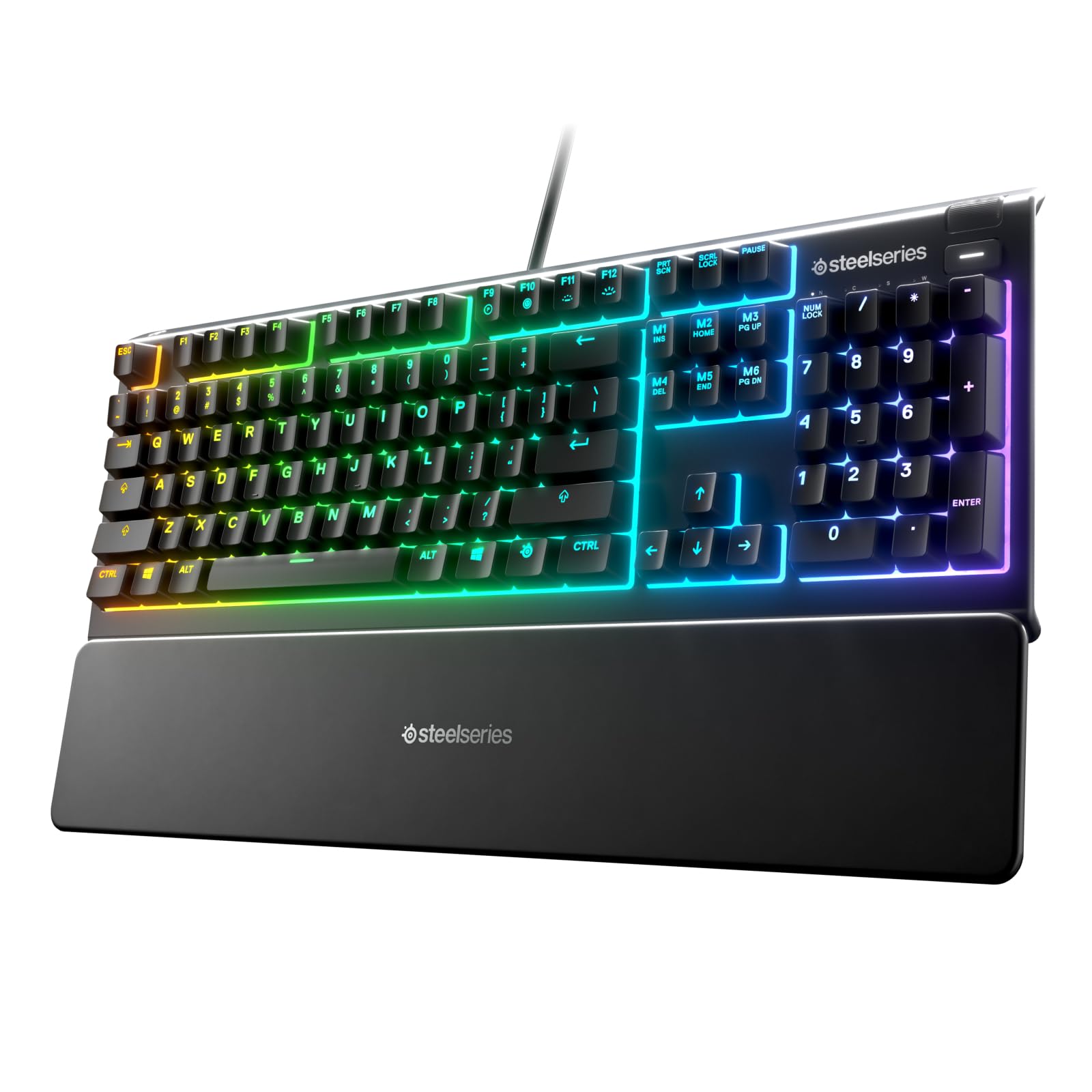
8,000+ ratings
Read Amazon ReviewsSteelSeries Apex 3
Choose the Apex 3 if you want a wrist rest and dedicated media controls and prefer to keep a full-size layout. The TKL is the better fit when a smaller footprint matters more than those extras.
- The full-size Apex 3 includes a magnetic wrist rest, dedicated multimedia controls, and ten-zone RGB lighting, alongside whisper-quiet switches and IP32 water resistance.
- The Apex 3 TKL saves space by omitting the number pad and provides eight-zone RGB lighting.
Computer Keyboards alternative
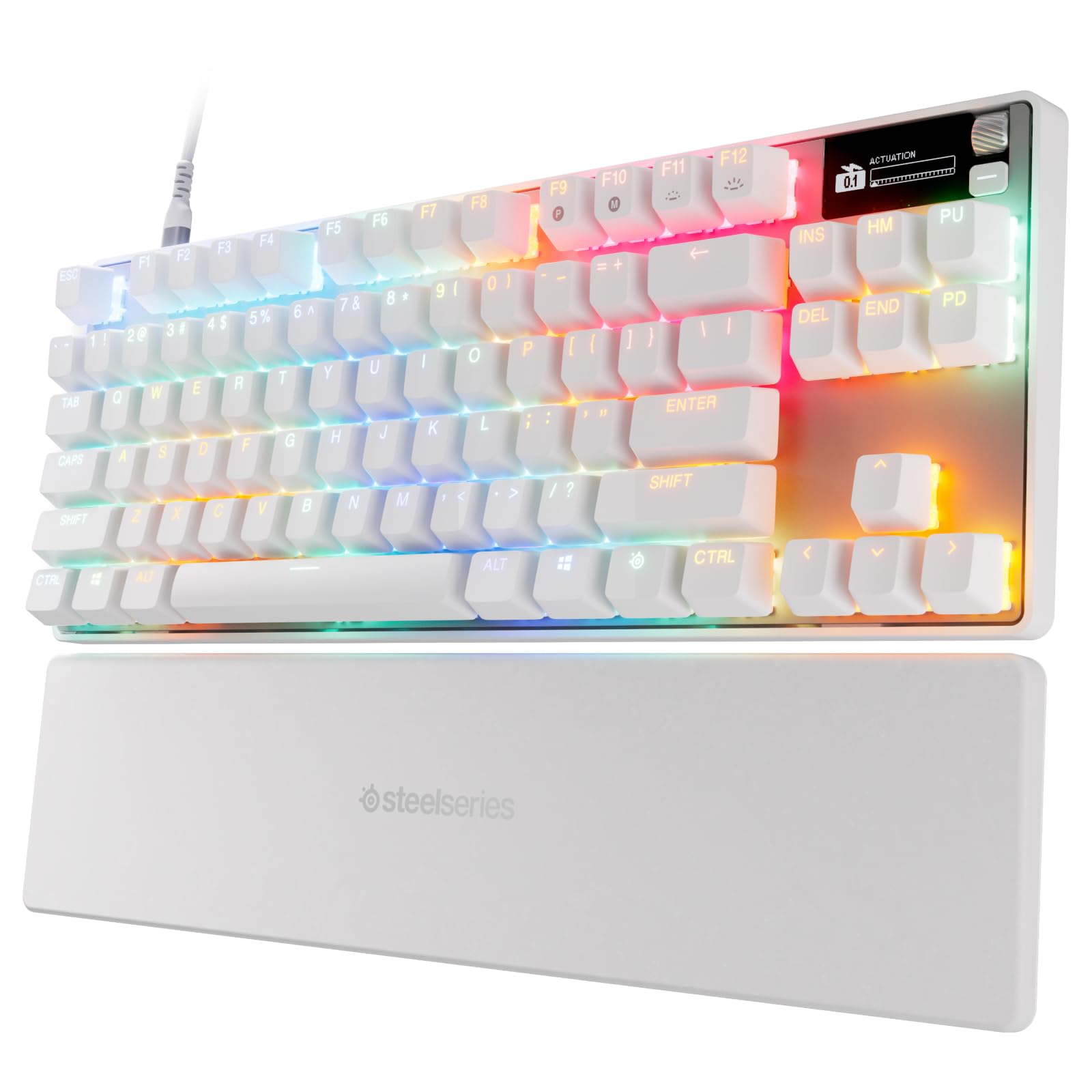
500+ ratings
Read Amazon ReviewsSteelSeries Apex Pro TKL Gen 3
Consider the Apex Pro TKL Gen 3 if you want adjustable input behavior and more specialized gaming controls.
The Apex 3 TKL is a simpler choice if quiet switches and a compact layout matter more than those advanced features.
- The Apex Pro TKL Gen 3 has analog magnetic switches with adjustable actuation, rapid-trigger and rapid-tap features, protection mode, an OLED display, and onboard configurations.
- The Apex 3 TKL focuses on quiet switches, anti-ghosting, and compact gaming essentials.
Is Apex 3 TKL Worth It?
The SteelSeries Apex 3 TKL is worth considering if you want a compact gaming keyboard with quiet switches, anti-ghosting, and RGB lighting. Its strongest appeal is the combination of a space-saving layout and a low-noise focus.
Before choosing it, make sure losing the number pad fits your routine and decide whether the straightforward feature set is enough for your games.
Buyers who need numeric-entry convenience or advanced switch tuning should choose a layout or feature set tailored to those priorities.
Your review at a glance
2,000+ ratings
Read Amazon ReviewsSteelSeries Apex 3 TKL
A compact wired gaming keyboard for players who want quiet switches, customizable lighting, and more desk room without a number pad.
- Tenkeyless layout omits the number pad to keep the keyboard more compact.
- Anti-ghosting keys are included for gaming inputs.
- Whisper-quiet switches are designed for low-noise use and rated for 20 million keypresses.
- Eight-zone RGB illumination supports color schemes and reactive lighting effects.