The best microphones for streaming range from simple USB desktop models to wireless and XLR setups with dedicated controls. Choose based on your connection needs, desk space and whether you want a ready-to-use stand or room to expand your audio setup.
Quick Top Products
FIFINE AmpliGame AM8T
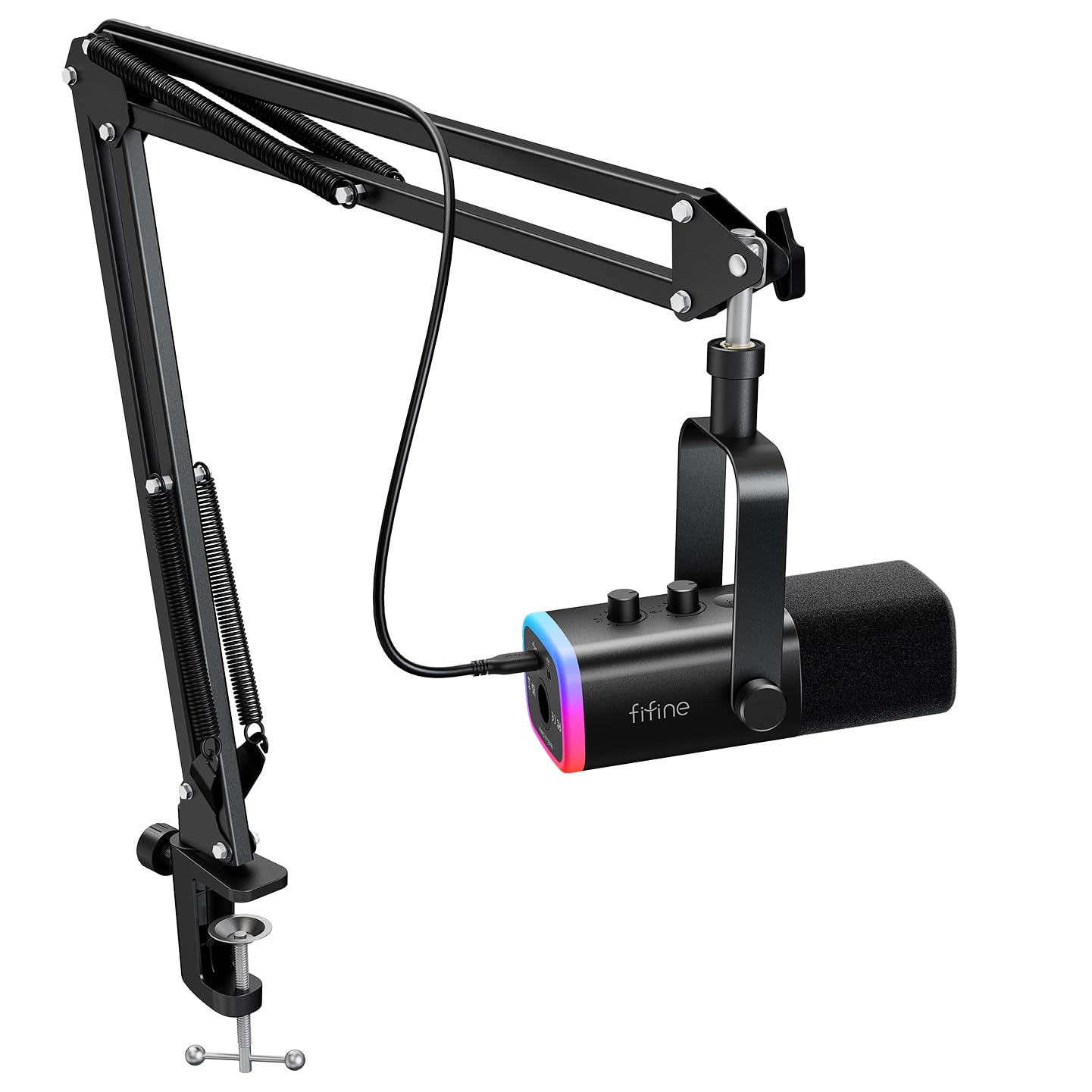
- Includes a dynamic mic and boom arm stand.
- Supports USB plug-and-play and XLR connections.
- Has customizable RGB and on-mic controls.
Best For: Streamers who want a dynamic mic, boom arm and the option to connect by USB or XLR.

MAONO PD200XS
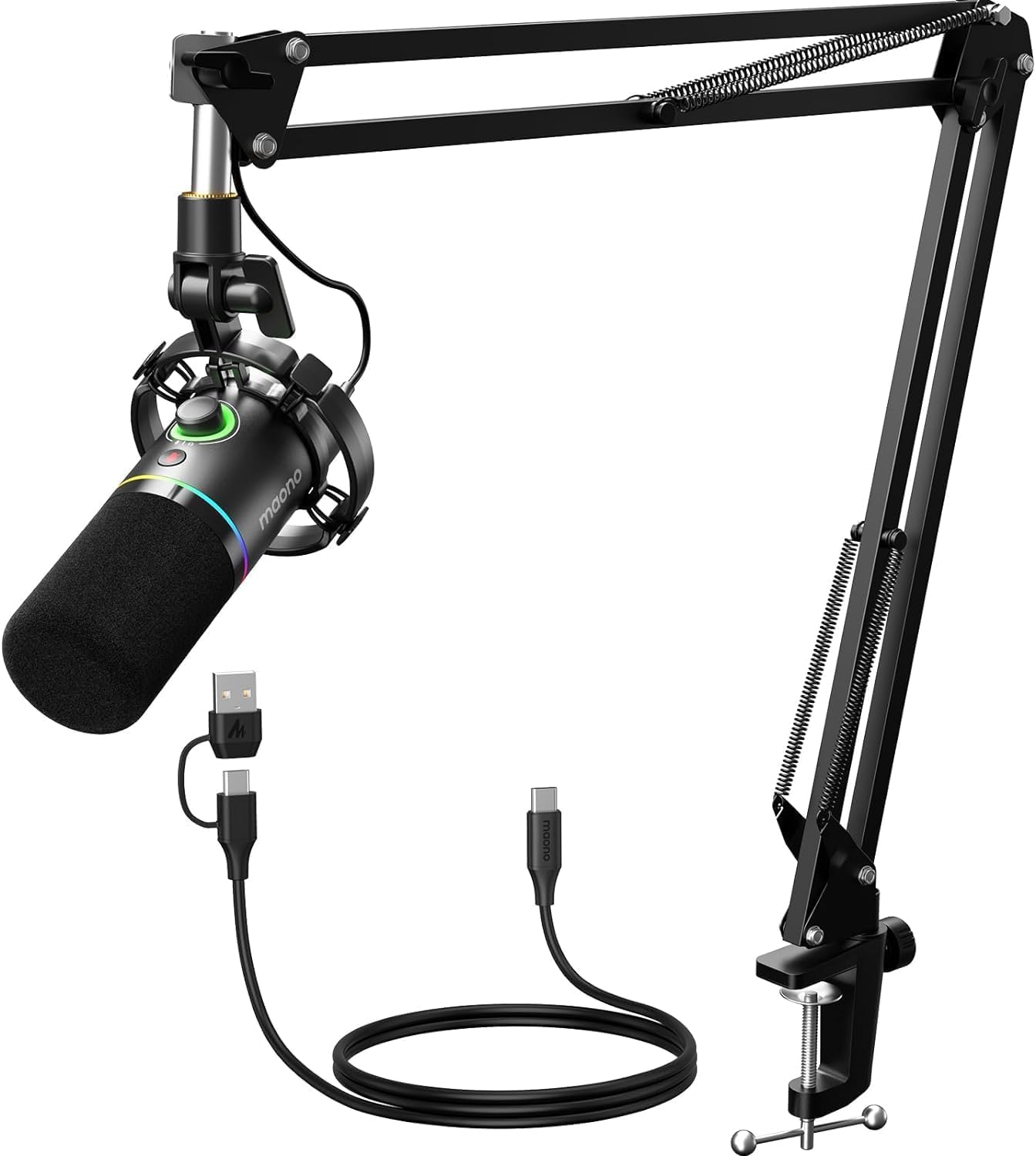
- Provides USB and XLR connections for computer or audio equipment.
- USB mode supports EQ, limiter and compressor adjustment.
- Includes a microphone boom arm and shock mount.
Best For: Streamers who want a dynamic USB/XLR mic, adjustable boom arm and software audio controls.
SteelSeries Alias Pro Kit
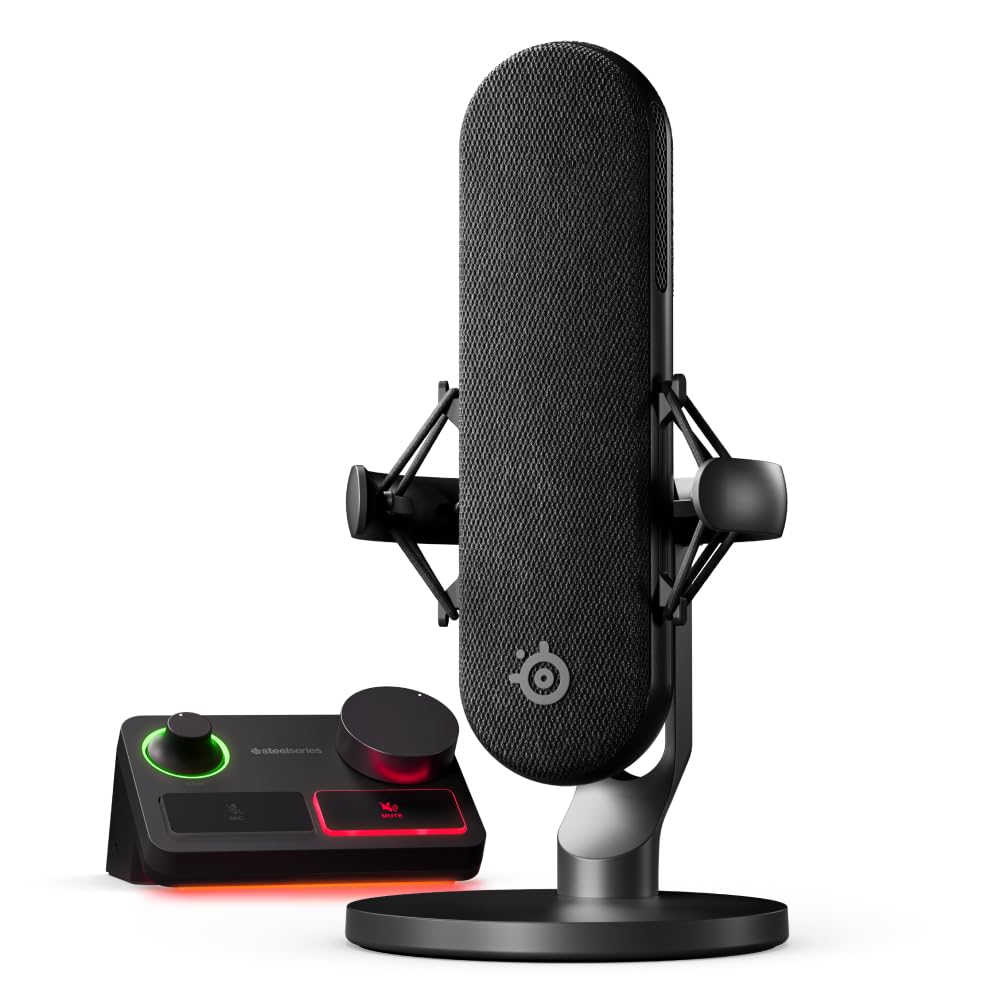
- Combines an XLR mic with a stream mixer.
- Supports single- or dual-PC connections via USB-C.
- Includes a desktop stand; boom arm is sold separately.
Best For: Streamers building an XLR-based desk with dedicated mixer controls and single- or dual-PC routing.
MAONO DGM20S
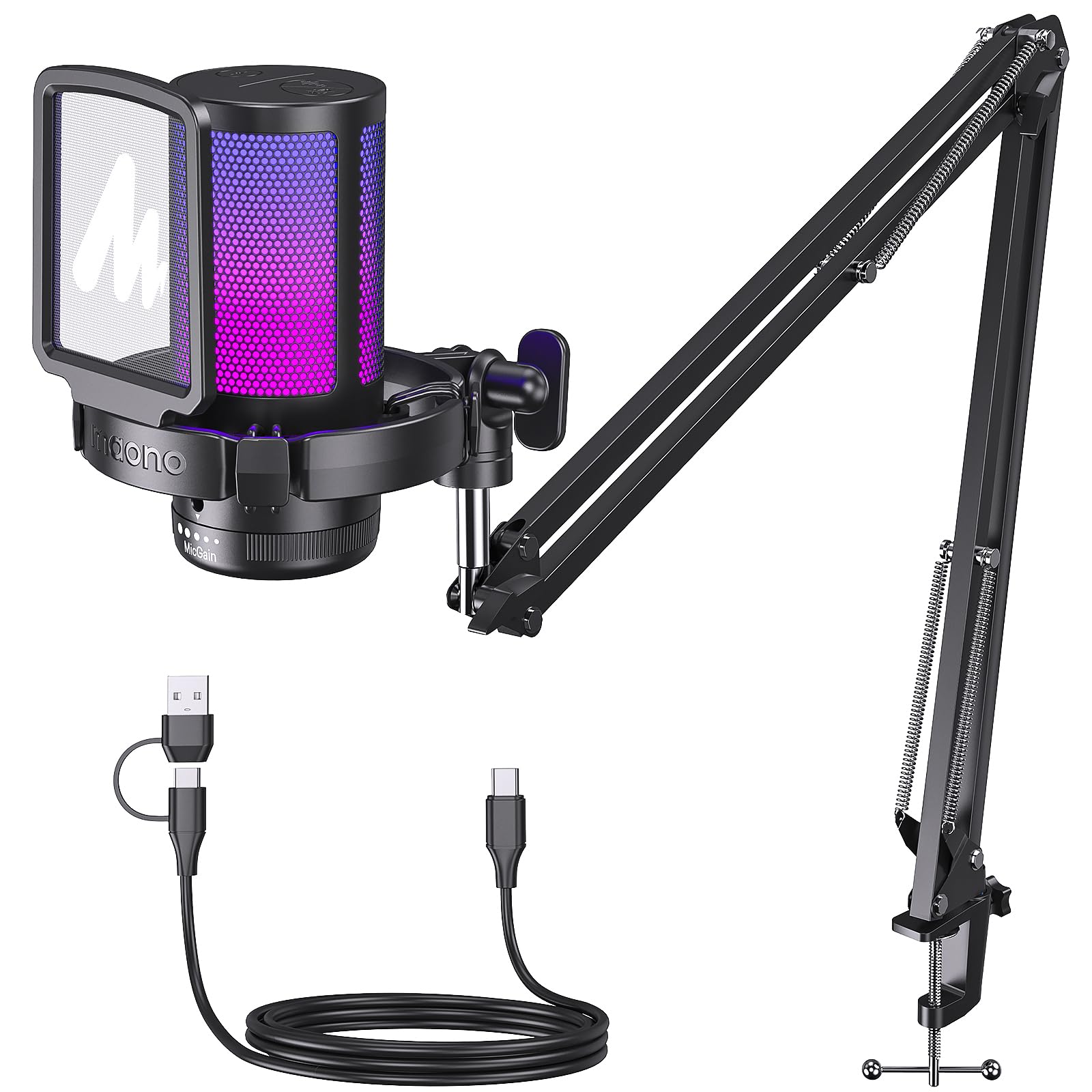
- Includes a metal boom arm, shock mount and pop filter.
- Has mute, gain and zero-latency monitoring controls.
- Supports Windows, Mac and PS5/4; Xbox is excluded.
Best For: PC and console streamers seeking a USB condenser mic with an arm, mute and noise-reduction controls.
FIFINE AmpliGame AM8W

- Supports both USB and XLR connections.
- USB mode includes RGB and on-mic controls.
- Designed for a suggested recording range of 2 to 6 inches.
Best For: Streamers who want a white dynamic mic with USB convenience and an XLR upgrade path.
MAONO DGM20
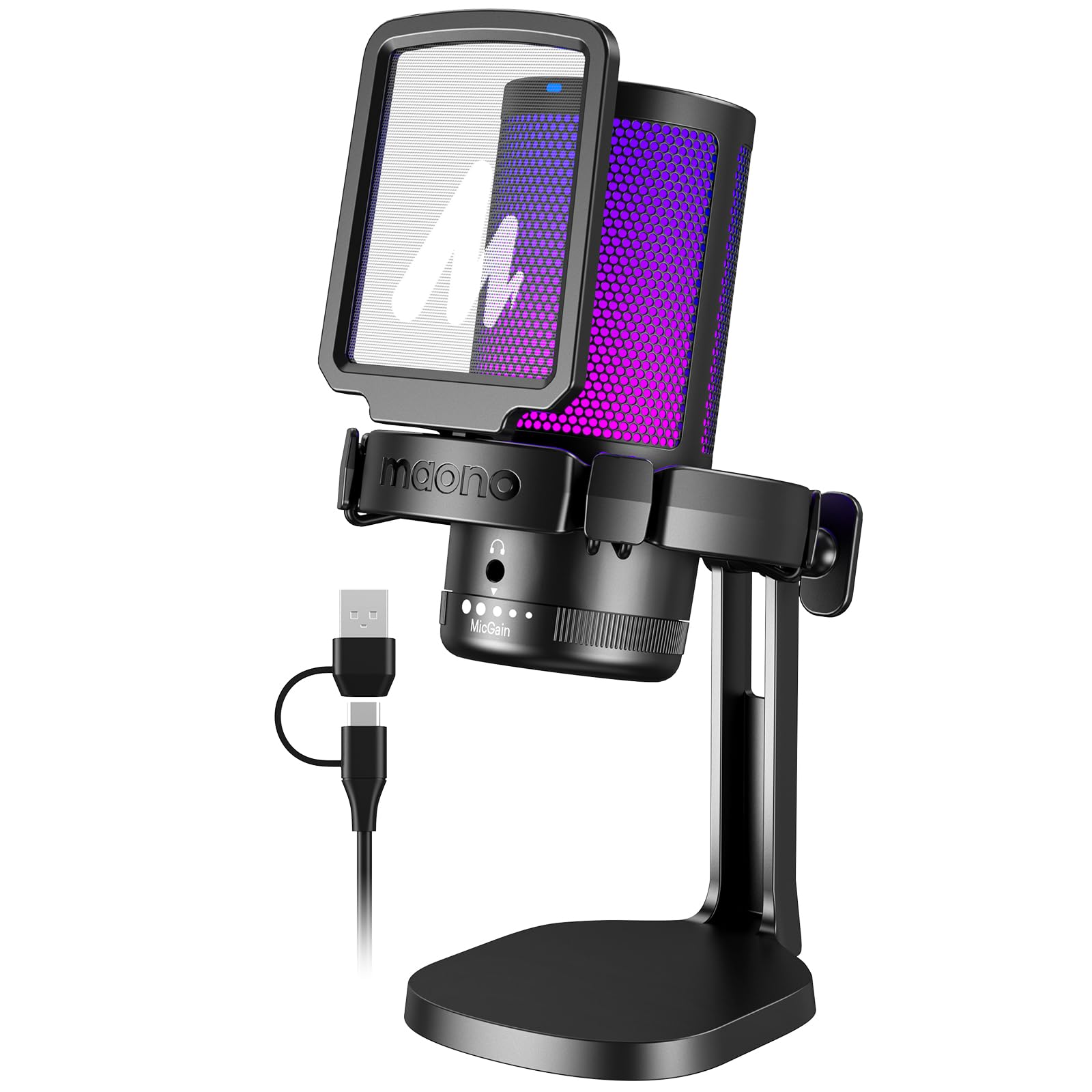
- Has one-key noise cancellation and cardioid pickup.
- Includes a headphone monitoring jack and gain control.
- The included cable supports USB and USB-C connections.
Best For: PC and console streamers who want a USB mic with noise cancellation, RGB and real-time monitoring.
FIFINE K683A

- Includes a foldable tripod and detachable pop filter.
- Has a gain knob, mute button and headphone jack.
- Works with Windows, Mac and PS4; Xbox is excluded.
Best For: Streamers who prefer a USB desktop microphone with a tripod, pop filter and direct controls.
SteelSeries Alias
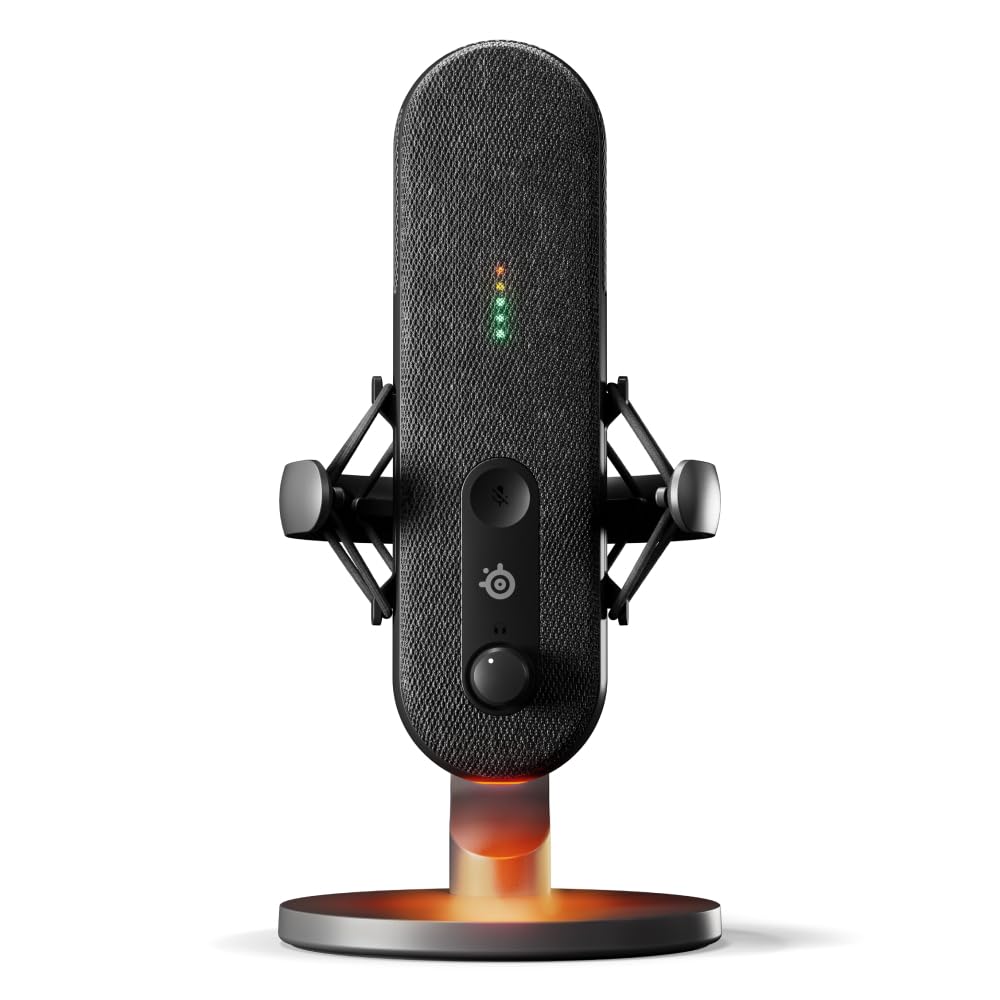
- Connects by USB and works with Sonar audio software.
- Has LED level and mute monitoring on the mic.
- Includes a shock mount and desktop stand; boom arm is sold separately.
Best For: Streamers who want a USB microphone with software routing, visible level status and a shock mount.
MAONO PD100W
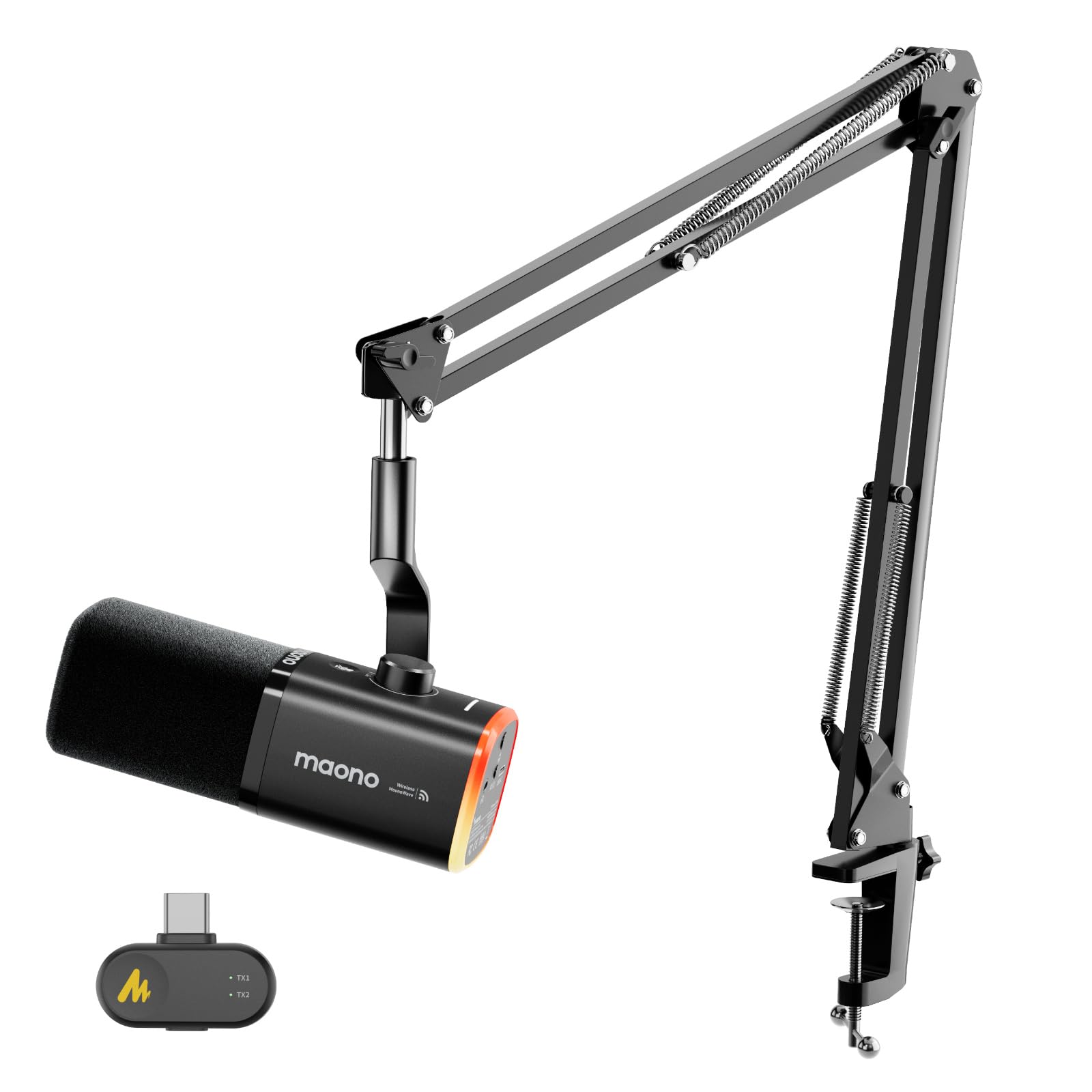
- Supports wireless and USB connection modes.
- Includes a boom arm and USB-C receiver.
- Provides touch mute and real-time headphone monitoring.
Best For: Streamers seeking a wireless dynamic mic with USB backup, noise controls and included arm mounting.
Flexible USB and XLR Kit
FIFINE XLR/USB Gaming Microphone Set, Dynamic PC Mic for Streaming Podcasting, Computer RGB Mic Kit with Boom Arm Stand, Mute Button, Headphones Jack, for Recording Vocal Voice-Over-AmpliGame AM8T
The AmpliGame AM8T pairs a dynamic microphone with a boom arm, making it a ready-to-position choice for a streaming desk. USB offers plug-and-play use with a PC, while XLR supports connection to a mixer or sound card.
On USB, the mic provides a mute button, gain knob, headphone jack and headphone volume control for adjustments without leaving your setup. It also has customizable RGB lighting.
The XLR cable is not included, and the desk clamp fits desktops less than 2 inches thick, so check your desk and any planned XLR setup before buying.
Best For: Streamers who want a dynamic mic, boom arm and the option to connect by USB or XLR.
| Pros | Cons |
|---|---|
|
|
Choose the AM8T if you want a dynamic mic with a boom arm now and the option to add an XLR mixer or sound card later. USB brings the listed mute, gain and monitoring controls; the XLR cable must be bought separately for that connection.
Check the clamp fit against your desk before ordering, and consider whether you need the included arm or already have a preferred mounting arrangement.
Software-Tunable Streaming Kit
MAONO XLR/USB Dynamic Microphone Kit, RGB Podcast Mic with Software, Mute, Gain Knob, Volume Control, Boom Arm for Streaming, Gaming, Voice-Over, Recording-PD200XS Black
The PD200XS combines a dynamic microphone and adjustable boom arm with both USB and XLR connections. Its USB mode adds MAONO Link controls for EQ, limiter and compressor adjustments, plus RGB settings; the software features do not carry over to XLR mode.
A smart knob handles mic gain and headphone volume, and a one-click mute key has an LED indicator. The included boom arm and shock mount help complete a desk setup.
If you plan to use XLR, budget for a separate cable and audio interface or mixer, since the cable is not included.
Best For: Streamers who want a dynamic USB/XLR mic, adjustable boom arm and software audio controls.
| Pros | Cons |
|---|---|
|
|
Pick the PD200XS if you want to adjust more than input level and expect to use USB software. Its boom arm, shock mount and monitoring jack make it a fairly complete streaming desk kit.
The tradeoff is that its software controls are USB-only; an XLR workflow needs separate audio gear and a cable. Check which connection you expect to use most, because the mic's modes do not offer the same controls.
Mixer-Ready Two-PC Setup
SteelSeries Alias Pro Kit — XLR Mic + Stream Mixer — 3x Bigger Capsule for Gaming, Streaming and Podcasting — USB/XLR Interface — Free Sonar Audio Software — Custom Controls — RGB — Single or Dual PC
The Alias Pro Kit combines a cardioid XLR microphone with an XLR stream mixer, putting mic control and level monitoring into a purpose-built streaming setup. Its mixer has customizable controls and RGB, and the kit supports a single PC or dual-PC connection over USB-C.
Free Sonar software adds mixing, app routing and AI noise cancellation. The microphone's integrated shock mount reduces unwanted vibration, and the kit includes a desktop stand; a boom arm is sold separately.
This is the most involved option here, so it fits best when you want the mixer workflow rather than a direct USB mic.
Best For: Streamers building an XLR-based desk with dedicated mixer controls and single- or dual-PC routing.
| Pros | Cons |
|---|---|
|
|
Choose this kit when a mixer is central to your streaming workflow, especially if you connect one or two PCs. It bundles the mic and mixer, with Sonar available for routing and audio adjustments.
The dedicated setup is less suited to someone seeking the simplest USB connection, and a boom arm adds a separate purchase if the included desktop stand does not fit your placement. Review your desk layout and PC routing needs before choosing.
Noise-Controlled Arm-Mount Setup
MAONO DGM20S Gaming Microphone for PC with Clear Voice & Noise Reduction | RGB Lighting, Tap-to-mute, Gain Control, Headphone Monitoring and Boom Arm for Discord Gaming, Streaming, Content Creation
The DGM20S is a USB condenser microphone kit with a metal boom arm, shock mount and removable pop filter. Its cardioid pickup focuses on sound from the front, while a one-click noise-cancellation function offers another way to manage background sound.
On-mic controls include mute, gain and RGB adjustment, and a headphone jack supports zero-latency monitoring. It works with Windows, Mac and PS4/PS5, but not Xbox.
The arm can fold away to save space. Check that your setup uses a supported device and that the arm's desk clamp can fit your workspace.
Best For: PC and console streamers seeking a USB condenser mic with an arm, mute and noise-reduction controls.
| Pros | Cons |
|---|---|
|
|
Choose the DGM20S if you want a USB streaming kit with an adjustable arm and controls for noise reduction, mute and gain. The included shock mount and pop filter provide a fuller setup than a bare desktop mic, and the arm folds away when you need desk space.
Its compatibility covers common PC and PlayStation systems but excludes Xbox. Confirm both your device and clamp placement before settling on this kit.
White Dual-Connection Dynamic Mic
FIFINE XLR/USB Gaming Microphone for Streaming Podcasting, PC Computer RGB Mic, with Gain Knob, Mute Button, Monitoring Jack, Gamer Mic for Recording Video Creation-AmpliGame AM8 White
The white AmpliGame AM8W is a cardioid dynamic microphone with both USB and XLR connectivity. USB mode enables RGB lighting, tap-to-mute, gain control and headphone volume control; XLR mode is suited to use with a mixer or sound card.
Its compact white design fits a coordinated desk setup, while the suggested recording range is 2 to 6 inches with the mic facing the sound source. The supplied facts do not identify a boom arm in this model's package, so check the included mounting hardware if you need off-desk positioning.
Best For: Streamers who want a white dynamic mic with USB convenience and an XLR upgrade path.
| Pros | Cons |
|---|---|
|
|
The AM8W fits streamers who want a dynamic mic and the choice of computer USB or an XLR audio chain. USB provides the listed convenience controls and lighting, while XLR suits a mixer or sound card.
Its white finish also offers a color-matched alternative to the black AM8 models, without changing the central connection tradeoff. Confirm that your microphone placement can keep the sound source within the suggested 2 to 6 inch range.
USB Mic with One-Key Noise Control
MAONO USB Gaming Microphone for PC, Noise Cancellation Condenser Mic with RGB, Mute, Gain, Computer Desk Mic for Streaming, Podcast, Chat, Twitch, YouTube, Discord, PS5, PS4, GamerWave DGM20 Black
The DGM20 combines USB plug-and-play setup with a one-key noise-cancellation function and a cardioid pickup pattern aimed at sound in front of the mic. It includes a 3.5 mm headphone monitoring jack, gain control, one-click mute and RGB lighting with several modes.
The included cable supports USB and USB-C connections, and the mic is compatible with PCs, laptops, Macs and PS5. Its adjustable smart noise-cancellation software is Windows-only, so Mac users should not count on that software feature.
Check the connection and software needs for your streaming device.
Best For: PC and console streamers who want a USB mic with noise cancellation, RGB and real-time monitoring.
| Pros | Cons |
|---|---|
|
|
Pick the DGM20 if you want straightforward USB setup with monitoring, mute and gain on hand. Its noise-cancellation function and cardioid pickup target common streaming concerns without requiring a separate audio interface.
The software adds adjustable noise cancellation only on Windows, so a Mac workflow has fewer tuning options. Confirm that your host device is supported and decide whether the onboard function is enough for your needs.
Tripod Mic with Pop Filter
FIFINE USB Desktop PC Microphone with Pop Filter for Computer and Mac, Studio Condenser Mic with Gain Knob Mute Button Headphone Jack for Gaming Streaming Recording YouTube, Extra USB-C Plug-K683A
The K683A is a USB condenser microphone built around a desktop tripod rather than a boom arm. It includes a detachable pop filter, gain knob, instant mute button and a rear headphone jack for real-time monitoring.
Its cardioid pickup pattern is intended for a speaker positioned in front of the mic, and the package includes a USB-A/C cable and screw adapter. It works with Windows, Mac and PS4, but not Xbox.
Choose this model if a compact desktop arrangement suits you; check your USB port and whether a fixed stand fits your speaking position.
Best For: Streamers who prefer a USB desktop microphone with a tripod, pop filter and direct controls.
| Pros | Cons |
|---|---|
|
|
The K683A is a practical fit if you want a wired desktop setup and value a pop filter and monitoring jack in the box. Its tripod keeps the microphone on the desk, which avoids a clamp but limits positioning compared with an arm-mounted kit.
Confirm the mic can sit in front of you at a comfortable distance, and verify your host is Windows, Mac or PS4. Xbox users should choose another option.
USB Streaming with On-Mic Level Lights
SteelSeries Alias USB Mic for PC — 3x Bigger Capsule for Gaming, Streaming and Podcasting — Sonar for Streamers Audio Software — AI Noise Cancelling — LED Mute & Level Monitoring — Shock Mount
The SteelSeries Alias is a cardioid USB microphone for gaming, broadcasting and podcasting. Its capsule is described as up to three times bigger than other mics, and the free Sonar software adds mixing, app routing and AI noise cancellation.
Green-to-red lighting on the mic shows audio levels and mute status at a glance, while customizable RGB lighting shines below it. An integrated shock mount helps reduce unwanted vibration.
The mic includes a desktop stand and also works with a separately sold boom arm. Check your desk placement and whether you want arm mounting before buying.
Best For: Streamers who want a USB microphone with software routing, visible level status and a shock mount.
| Pros | Cons |
|---|---|
|
|
Choose the Alias if you want USB simplicity paired with software routing and visual level monitoring. The integrated shock mount and desktop stand support a straightforward desk setup, while a boom arm requires an additional purchase.
Its software tools offer more control than a basic direct USB setup, but check that Sonar's app routing suits your workflow and that the included stand places the mic where you need it.
Dynamic Mic with Wireless or USB Modes
MAONO PD100W Wireless USB Dynamic Microphone, Gaming PC Mic with One-Click Noise Reduction,Mute Button,Custom RGB,3.5mm Headphone Jack,Software,Podcast Streaming Mic (Boom Arm(USB-C Receiver), Black)
The PD100W is a dynamic microphone with both 2.4G wireless and USB connection modes. Its USB-C receiver supports the wireless setup, and the product notes also describe computer, laptop and PS5 use; Xbox is excluded, and iPhone requires a separate Lightning receiver.
The mic includes a boom arm, touch mute, headphone monitoring and a combined gain and volume knob. RGB and noise reduction have adjustment options, and its rechargeable battery has a stated 1500 mAh capacity.
Check the complete battery runtime and receiver compatibility for your devices before choosing this model.
Best For: Streamers seeking a wireless dynamic mic with USB backup, noise controls and included arm mounting.
| Pros | Cons |
|---|---|
|
|
The PD100W suits a streamer who wants wireless convenience in a dynamic mic and appreciates having USB as another connection mode. Its included arm and USB-C receiver make it a more complete desk kit than a mic alone, with mute and monitoring controls close at hand.
Check compatibility before planning to use a phone or Xbox, and verify battery runtime details for your expected session length, since the supplied facts give capacity but not runtime.
How to Choose Microphones For Streaming
How We Picked Microphones for Streaming
The roundup focuses on microphones with features that directly support live voice: USB or XLR connectivity, controls for mute and gain, monitoring, noise management and practical placement. We favored candidates with enough detail to explain how they fit a streaming desk, whether that means a desktop stand, included boom arm, software mixer or wireless receiver.
The list covers several workflows. USB models are ready to connect to a computer or console, while dual USB/XLR mics leave room for an audio interface or mixer.
Wireless options address cable clutter, and bundled arms or stands matter if you are assembling a complete setup. Color variants and overlapping offers do not add a distinct choice.
Comparing Microphones for Streaming
Start with the connection you will use. USB models such as the MAONO DGM20S and FIFINE K683A connect directly to supported computers or consoles, while the AM8T and PD200XS also offer XLR for audio equipment.
The SteelSeries Alias Pro Kit goes further by pairing an XLR microphone with a stream mixer for single- or dual-PC workflows.
Next, compare how each mic fits your desk. The DGM20S, AM8T and PD200XS include boom arms; the K683A and SteelSeries Alias include desktop stands.
The DGM20W and PD100W add wireless modes, with compatibility and receiver details to check for your device. A boom arm can free desktop space, but confirm its clamp will fit your desk.
The comparison table below summarizes the selected models and core features.
| Product | Standout features | Best for |
|---|---|---|
| FIFINE AmpliGame AM8TCheck Price |
| Streamers who want a dynamic mic, boom arm and the option to connect by USB or XLR. |
| MAONO PD200XSCheck Price |
| Streamers who want a dynamic USB/XLR mic, adjustable boom arm and software audio controls. |
| SteelSeries Alias Pro KitCheck Price |
| Streamers building an XLR-based desk with dedicated mixer controls and single- or dual-PC routing. |
| MAONO DGM20SCheck Price |
| PC and console streamers seeking a USB condenser mic with an arm, mute and noise-reduction controls. |
| FIFINE AmpliGame AM8WCheck Price |
| Streamers who want a white dynamic mic with USB convenience and an XLR upgrade path. |
| MAONO DGM20Check Price |
| PC and console streamers who want a USB mic with noise cancellation, RGB and real-time monitoring. |
| FIFINE K683ACheck Price |
| Streamers who prefer a USB desktop microphone with a tripod, pop filter and direct controls. |
| SteelSeries AliasCheck Price |
| Streamers who want a USB microphone with software routing, visible level status and a shock mount. |
| MAONO PD100WCheck Price |
| Streamers seeking a wireless dynamic mic with USB backup, noise controls and included arm mounting. |
Choosing a USB Streaming Microphone
A USB mic is a direct route for a single-computer stream. Check the device compatibility carefully: several options support Windows, Mac and PlayStation, while some exclude Xbox.
A product with a USB-C cable, adapter or receiver may suit newer connections, but identify whether it uses a wired cable or a wireless dongle.
Look for controls you will use while live. The selected options include touch or one-click mute, gain adjustment and headphone monitoring in different combinations.
Monitoring through a mic jack can help you hear the input directly. The MAONO models also offer noise-control functions, while the SteelSeries Alias pairs its mic with Sonar software for routing and audio adjustment.
Remember that software controls can depend on the connection mode or operating system.
When to Choose an XLR or Wireless Streaming Mic
XLR makes sense when you already use, or plan to add, a mixer or audio interface. The FIFINE AM8T and MAONO PD200XS offer USB for a simpler starting point alongside XLR as an alternative.
The SteelSeries Alias Pro Kit is designed around an XLR mixer, so it better matches a more involved routing setup. Check accessory requirements: XLR cables are not included with the AM8T or PD200XS, and the Alias Pro boom arm is sold separately.
Wireless models can reduce cable clutter around a streaming desk. The MAONO DGM20W offers 2.4G wireless and wired USB, and the PD100W combines wireless with USB.
Review the receiver and device details before ordering, especially for phones or consoles. Battery figures should be read with their stated conditions; for example, the DGM20W's up-to-40-hour figure applies with RGB off.
Who Should Buy Which Streaming Microphone
For a ready-to-position dynamic mic with USB and XLR, consider the FIFINE AM8T; for USB software tuning and an included arm, the MAONO PD200XS is the closer fit. Streamers who want an XLR mixer and dual-PC support can look at the SteelSeries Alias Pro Kit, while the Alias USB model suits those who prefer a direct USB connection with Sonar software.
Choose the DGM20W or PD100W if wireless operation is a priority, after confirming your device and receiver compatibility. For a straightforward desktop mic with a tripod and pop filter, the K683A keeps the setup simple.
If you need a boom arm and USB controls for a supported PC or PlayStation, the DGM20S is a more complete bundle. Match the mic to your connection, placement and controls rather than choosing by RGB or bundle size alone.